
Time: about 5 minutes · Plan: MAX · You'll need: a phone or tablet the preacher can see, on the church Wi-Fi, and somewhere on the pulpit to stand it
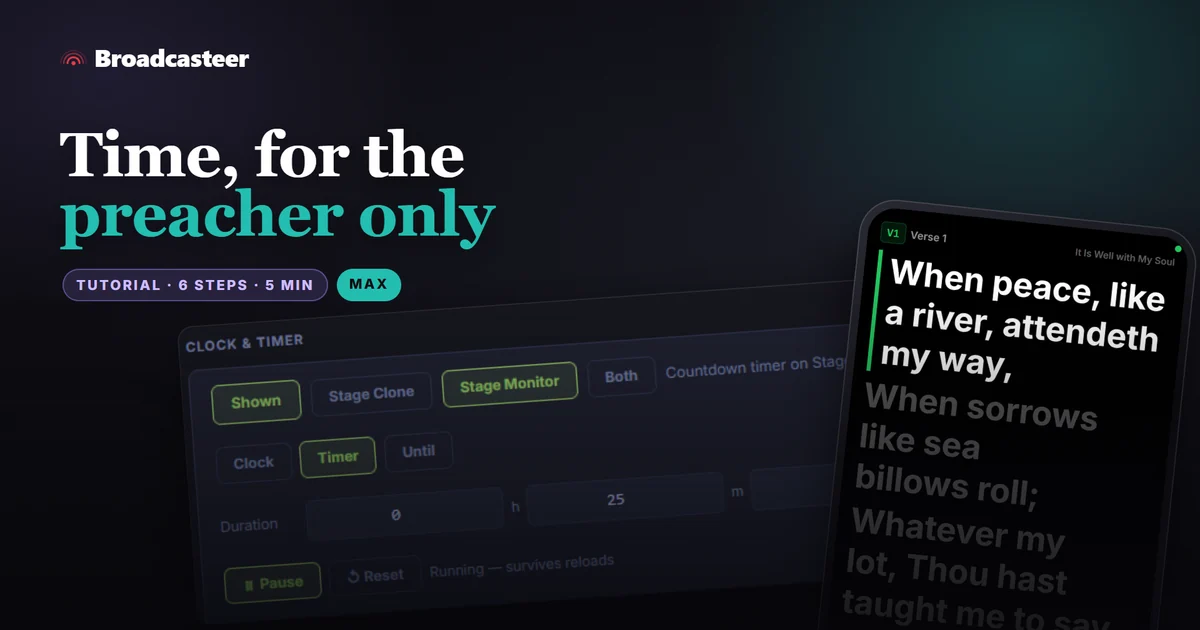
Put a phone or tablet on the pulpit showing Broadcasteer's Stage Monitor. Then start a Timer in Settings › System & Network › Clock & Timer and send it to Stage Monitor only. The preacher sees the minutes run down on their own screen; the main screen and the live stream never show it.
Step 1: Put the Stage Monitor at the pulpit
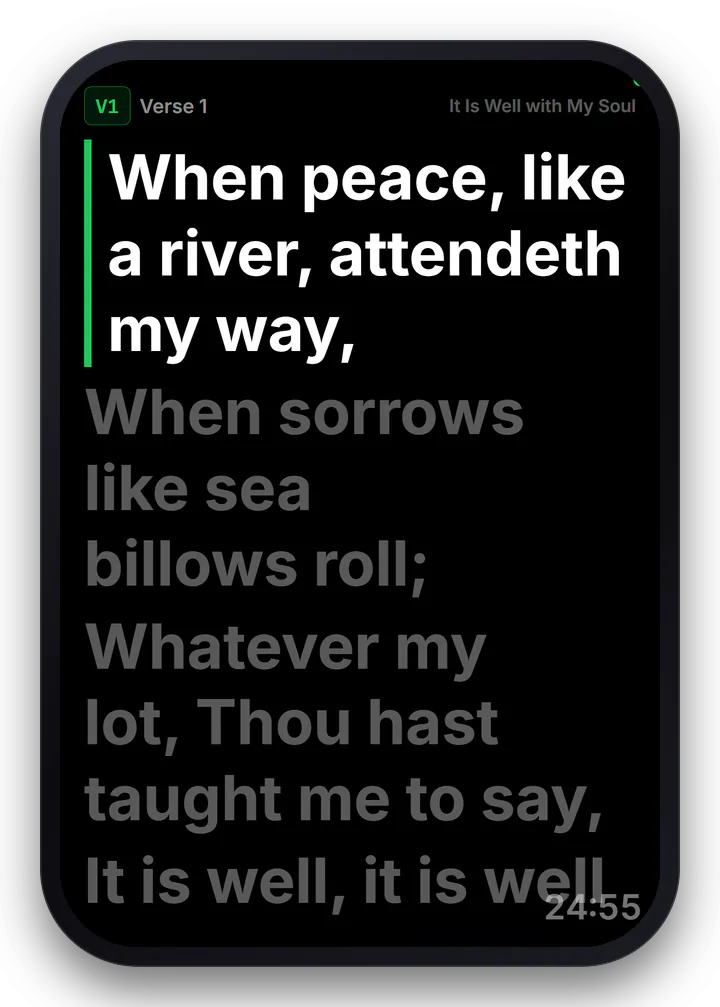
Start the service, then open CAST at the top right, choose Stage Monitor, and scan its code with the pulpit phone or tablet. It shows the words that are up on the main screen, large, for the person on the platform.
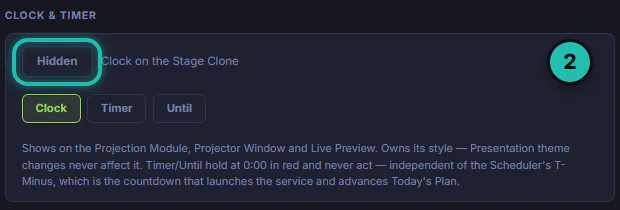
Step 2: Open Clock & Timer
Go to Settings › System & Network. In the middle column, CLOCK & TIMER starts out Hidden.
Step 3: Show it on the Stage Monitor only
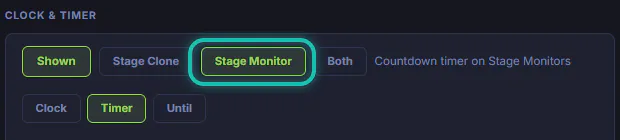
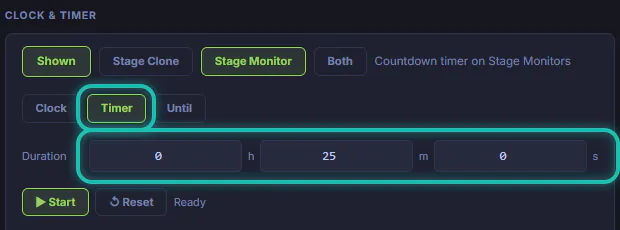
Press Hidden so it reads Shown, then pick Stage Monitor. The note beside it changes to say the countdown is on Stage Monitors. Stage Clone would put it on the main screen, where everyone sees it, and Both does both.
Step 4: Set the sermon time
Pick Timer, then type the sermon's length under Duration in hours, minutes and seconds. Here it's 25 minutes. Agree the number with the preacher before the service, so the amber minute means the same thing to both of you.
Step 5: Press Start when the sermon begins
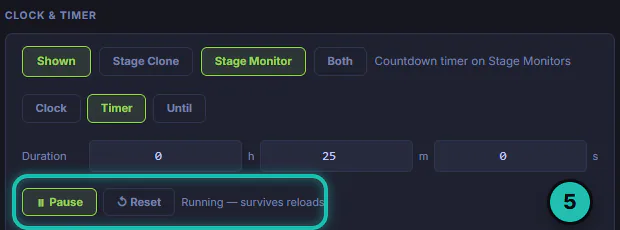
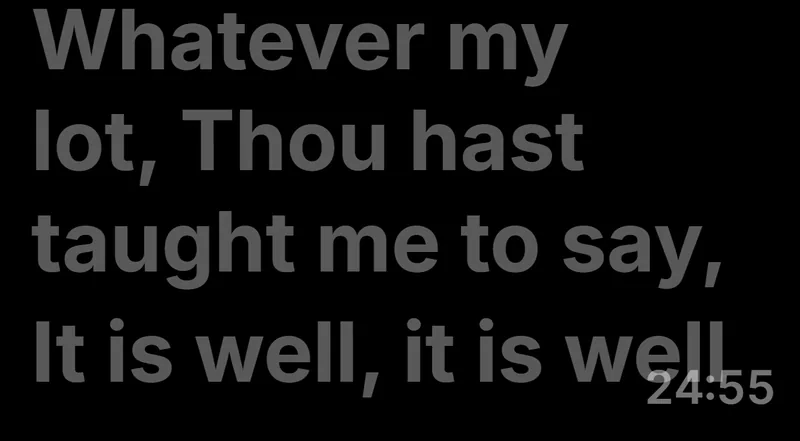
Press ▶ Start. It turns into ⏸ Pause, and ↺ Reset sets it back. The note says it's running and keeps running through reloads. On the pulpit screen, the minutes count down in the corner under the words.
Step 6: The last minute
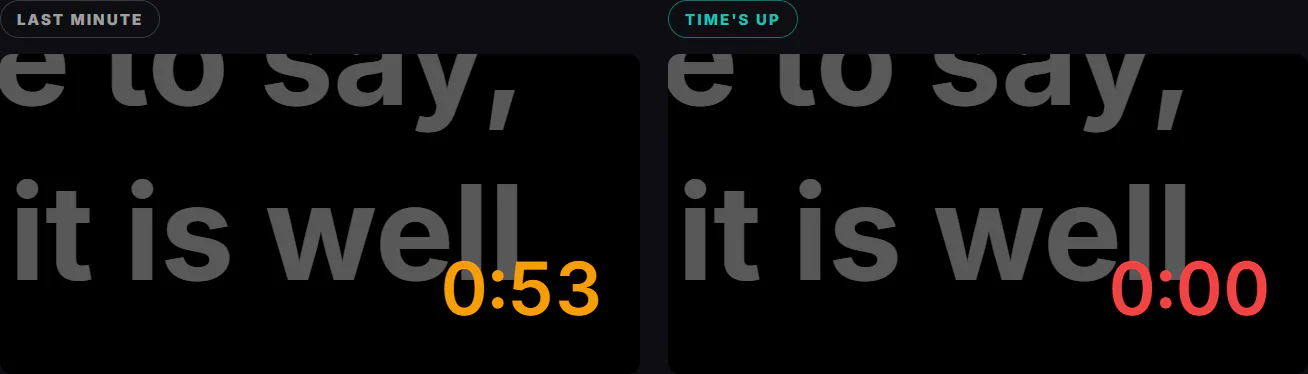
In the last minute the time turns amber. At zero it holds at 0:00 in red and stays there. It never stops anything or moves the slides; it's there so the preacher can see where they are without anyone walking up.
To send a written message as well, like "2 minutes" with a tick when the preacher has seen it, use a Pulpit-View screen set up in Settings › Output Matrix. The Stage Monitor shows the countdown only.
If it doesn't work
- The pulpit screen shows no time. Clock & Timer is still Hidden, or it's set to Stage Clone. Pick Stage Monitor or Both.
- The congregation can see the countdown. It's set to Stage Clone or Both. Switch it to Stage Monitor.
- There's no CAST button or no Stage Monitor. The Stage Monitor is on the MAX plan, and CAST works once the service is started.
- The timer didn't start counting. Press ▶ Start; picking Timer only sets it up.
- The pulpit tablet went dark. Set the tablet not to lock its screen during the service, and keep it on its charger at the pulpit.