
A laptop, the phones,and your Wi-Fi.
Broadcasteer turns the phones already in the room into wireless cameras, runs lyrics, verses and slides, and streams to YouTube or Facebook, all from one Studio on one Windows laptop. Three steps:
 Step 1
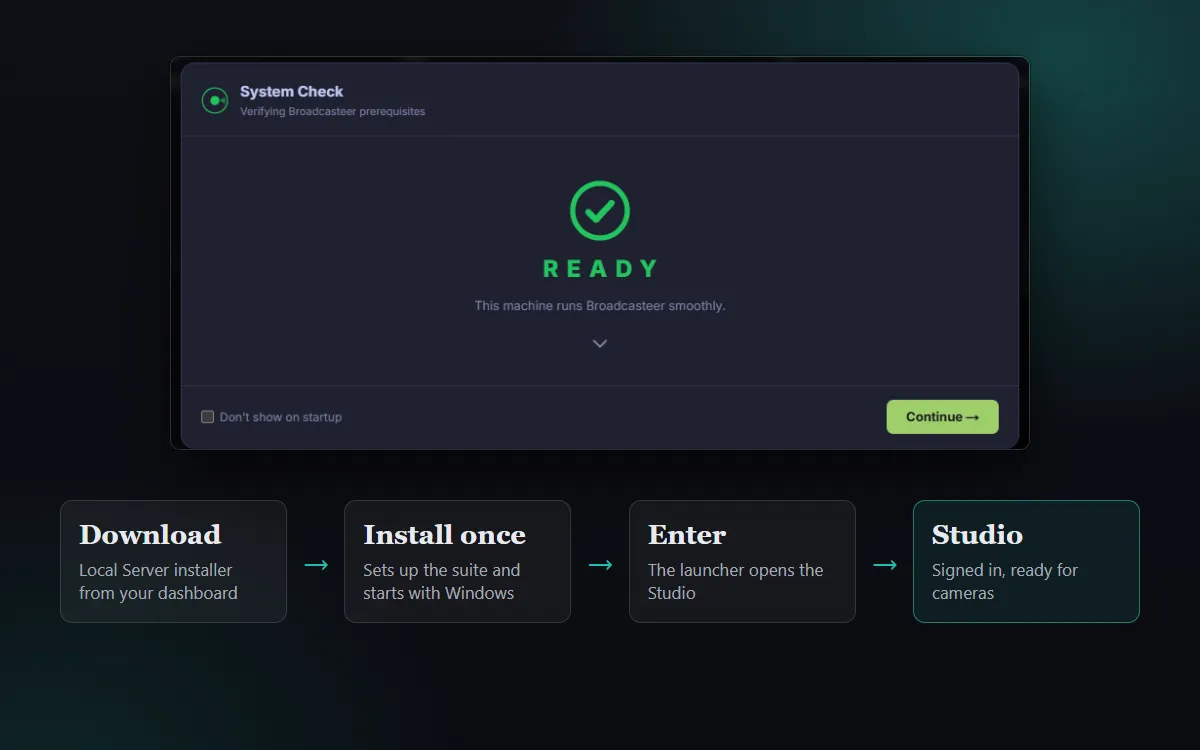
Install Studio on a Windows laptop
Create a free account, download the Local Server installer from your dashboard and install it once. It starts with Windows, and Studio opens with a System Check that tells you the laptop is ready.
See it step by step →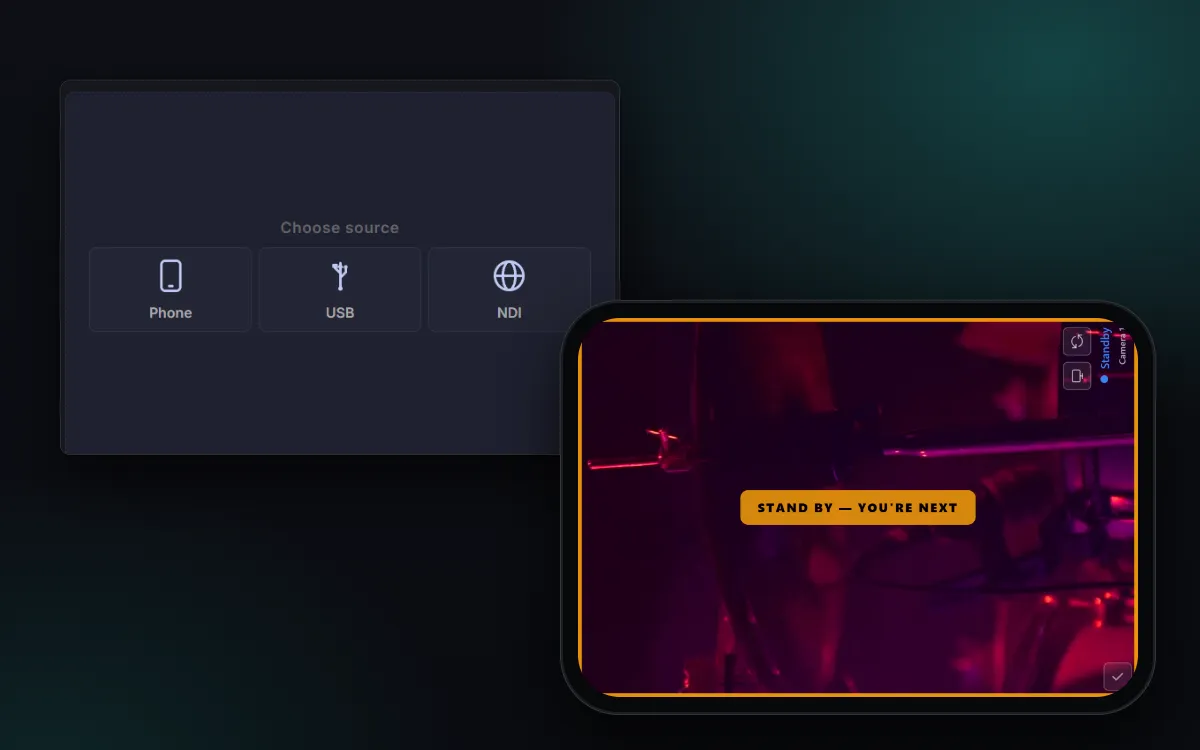 Step 2
Scan the phones in
Each volunteer opens their phone’s browser and scans the code on an empty camera tile. No app to install. Cue the next camera and its screen says “Stand by, you’re next”.
See it step by step →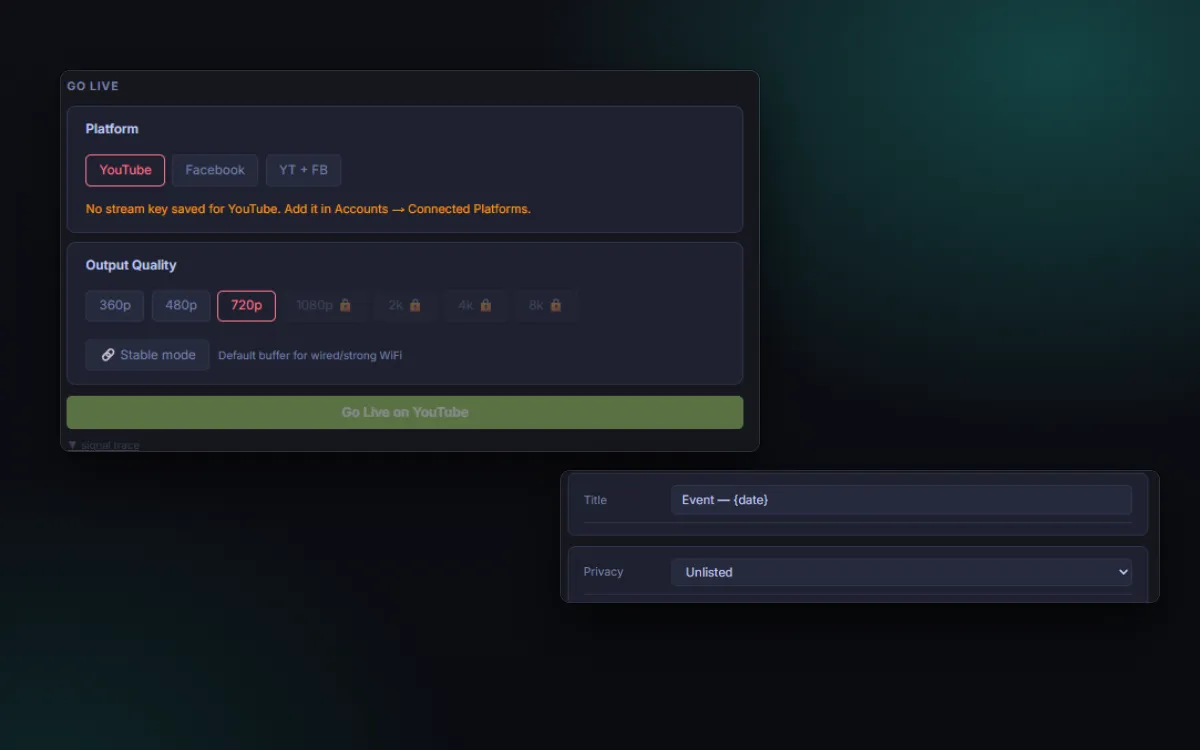 Step 3
Go live
Connect YouTube or Facebook, set the title and privacy, and press Go Live. Switch cameras, put lyrics and verses on screen, and End Service when you are done.
See it step by step →
What do I need to start?
Less than you think. Capture cards for phones, a hardware switcher, walkie-talkies and a slide clicker are all things you can skip.
Must have
- A Windows laptop
- Phones with a browser
- One Wi-Fi network you control
Should have
- Chargers or power banks
- Tripods or clamps
- A cable from the sound desk
Nice to have
- A projector or TV
- A laptop with a graphics card
How long does setup take?
The first-live-stream tutorial goes from download to a YouTube stream in ten steps, in about 20 minutes. After that, a Sunday starts with opening Studio and scanning the phones in.
Which plan do I need?
The free plan runs one phone camera at 720p with lyrics, projection, recording and YouTube or Facebook Live. PRO adds up to three cameras at 1080p; MAX adds five cameras, 4K and the crew tools.
Does it work with iPhone and Android?
Yes. Cameras join from the phone’s browser on iOS and Android, so there is no app to install. Studio itself runs on Windows.
What if I get stuck?
The tutorials walk through each job on real screens, and you can talk to us on WhatsApp.
Three steps
Try it on your Sunday.
Free plan. No credit card. Install Studio, scan one phone in, and see it work before you commit to anything.